Preparing boot volumes
The instruction for preparing a boot volume differs depending on the source type.
To make a boot volume from an existing virtual machine
- Shut down the VM which boot volume you want to use.
- On the VM right panel, go to the Properties section, and then click the disk marked as Bootable.
- On the volume right pane, click Clone.
-
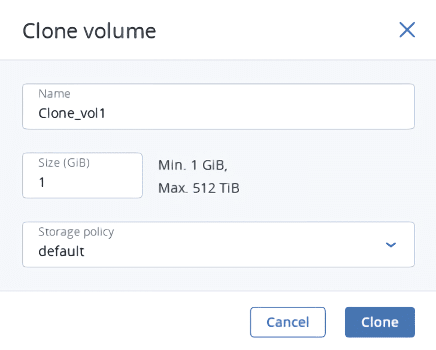
In the Clone volume window, specify a volume name, size, and storage policy. Click Clone.
To make a boot volume from a template
- Go to the Compute > Storage > Images tab, and then click the required image.
- On the image panel, click Create volume.
-
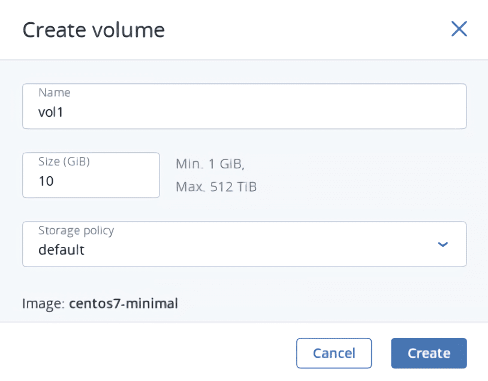
In the Create volume window, specify the volume name, size, and select a storage policy.
- Click Create.
The new volume will appear on the Compute > Storage > Volumes tab.
 What's next